Why Your Service Area Map Is Scaring Away Local Leads
Why Your Service Area Map Is Scaring Away Local Leads
For most local service business owners, the Google Business Profile (GBP) dashboard feels like a golden ticket. You verify your business, you select your service areas, and you draw a massive circle on the map that encompasses every suburb, town, and county you’re willing to drive to. You think you’ve just told Google, “I am everywhere.”
In reality, you might have just told Google you are nowhere. This is what I call the “Digital Leash.”
As a specialist in google business profile seo, I’ve seen thousands of contractors, lawyers, and restoration experts fall into the same trap. They believe that by hiding their physical address and “shading” a large service area, they are casting a wide net. But in the eyes of the Google algorithm, that shaded area is often a signal of low authority and high distance. Instead of attracting leads, your service area map is likely acting as a deterrent, scaring away the very people who are ready to click “Call.”
If you want to rank higher on google maps, you have to stop thinking about where you *want* to work and start understanding how Google actually calculates your proximity. Visibility does not equal calls if your map setup lacks “Proximity Authority.” In this guide, we’re going to dismantle the myths of the Service Area Business (SAB) and show you how to fix your map to finally dominate the local pack.
Section 1: The SAB Paradox, Why Hiding Your Address Costs You Money
The Service Area Business (SAB) designation was designed for businesses that go to the customer rather than having the customer come to them. Plumbers, roofers, and mobile detailers love this feature because it allows them to keep their home address private. However, there is a fundamental “trust gap” that occurs when a user sees a shaded polygon instead of a physical pin.
Consider a recent case study from my desk. “Client B,” a residential HVAC company, had been operating as a standard SAB for three years. They had an impressive number of reviews and a 4.9-star rating, yet they were stuck at positions #12 through #20 for their primary keywords in the city center. Why? Because their verification address was 15 miles away in a quiet suburb, and their address was hidden.
We implemented a google business profile optimization strategy that involved transitioning them from a hidden SAB to a visible physical location (a small satellite office in the target zone). Within 45 days, they jumped from the second page of the Map Pack to the #1 and #2 spots for their most competitive terms. The “trust” Google placed in a physical, verifiable pin far outweighed the “service area” they had previously defined.
When you hide your address, you aren’t just protecting your privacy; you are often sacrificing your google business profile authority. Users subconsciously associate a physical pin with accountability. They think, “If this guy does a bad job, I know where his shop is.” Without that pin, you are a ghost – and ghosts don’t get phone calls. If you are struggling with this, you might need to read about Why Your Business Pin Vanished From Google Maps and How to Get It Back to understand the mechanics of pin visibility.
Section 2: The “Digital Leash”, How Google Actually Sees Your Radius
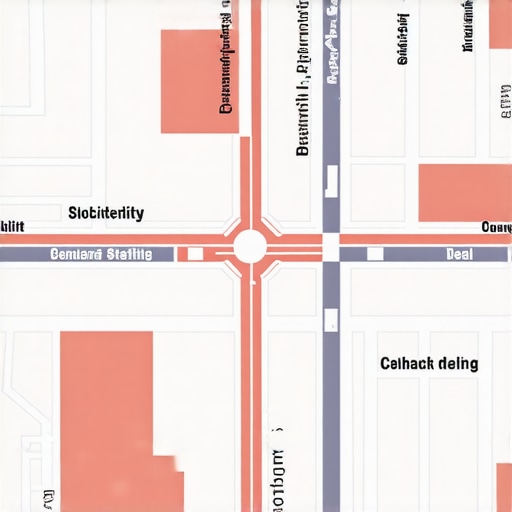
The biggest misconception in google maps seo is that the “Service Area” you draw in your dashboard dictates where you rank. It doesn’t. Google anchors your ranking power to your verification address, regardless of the 20 cities you listed in your profile. This is the Digital Leash.
Proximity remains the #1 ranking factor in local search. If you verified your business at your home in the suburbs but want to rank for “Emergency Plumber Downtown,” a 20-mile service area radius will not save you. Google’s algorithm is designed to provide the most relevant, closest solution to the user. If a competitor has a physical pin downtown, they will win 9 times out of 10, even if your “shaded area” covers that exact spot.
Google has become incredibly strict regarding SABs because of the sheer volume of spam. In recent years, Google has removed over 7 million fake profiles – many of which were “lead gen” sites using fake service areas to clog up the maps. To combat this, Google has shortened the “leash.” If you aren’t physically close to the searcher, your profile’s authority must be massive to compensate for the distance. This is where local map pack seo becomes a game of inches, not miles.
To see how far your leash actually reaches, you shouldn’t rely on your own phone’s search results. Using local seo tools like a google maps rank tracker is essential. These tools allow you to see a grid of your rankings across a city, showing you exactly where your “Proximity Authority” drops off a cliff. If you want to see how this works in practice, check out SEO Viper Tools to run a grid search and find your “dead zones.”
Section 3: Psychological Red Flags, What Customers See (And Why They Don’t Call)
Imagine you are a homeowner with a basement flooding at 2:00 AM. You search for “local plumber.” You see three results. Two have red pins indicating they are 3 miles away. The third has no pin, but a giant red circle covering the entire tri-state area. Who do you call?
Most people call the pin. Why? Because the shaded area feels “corporate,” “distant,” or “untrustworthy.” In industries like local seo for lawyers or local seo for plumbers, proximity is synonymous with speed and reliability. A shaded area suggests that the business has to travel a long distance to get to you, which means higher dispatch fees and longer wait times.
This is a major reason Why Your Google Map Listing Gets Clicks But Zero Phone Calls. You might be appearing in the search results because your SEO is decent, but your “map presence” is creating a psychological barrier. The user sees a business that isn’t “local” to them – even if you are just 10 minutes away.
Furthermore, when you over-extend your service area, you often end up ranking in areas where you can’t actually compete on price or speed. This leads to “bad clicks” – people who click your profile, realize you’re based two towns over, and immediately bounce. This high bounce rate signals to Google that your profile isn’t relevant, further damaging your google business profile seo.
Section 4: 3 Critical Mistakes in Service Area Configuration
If you are going to use the Service Area Business model, you must do it with surgical precision. Most owners treat the “Service Area” section like a “Kitchen Sink” list. Here are the three most common mistakes I see during a google business profile audit:
Mistake 1: Over-Specifying (The “Town Hoarding” Effect)
Many businesses list 20+ tiny towns, neighborhoods, and zip codes. They think they are being thorough. In reality, they are diluting their authority. Google prefers to see a concise, logical service area. If you list every tiny hamlet within 50 miles, Google struggles to identify your “core” service zone. I often recommend sticking to 3-5 major areas or one large county to maintain google business profile authority. For more on this, read Why Being Too Specific in Your GMB Service Area Actually Kills Phone Leads.
Mistake 2: The “Hybrid” Confusion
A hybrid business is one that has a physical shop (like a flooring showroom) but also provides on-site services (installation). Many owners fail to set this up correctly. They either hide their address (losing the foot traffic) or they don’t set a service area (losing the “on-site” relevance). A properly configured hybrid profile is the ultimate google maps ranking service hack, as it gives you both a pin and a defined reach.
Mistake 3: Ignoring Data and Local SEO Tools
Are you guessing where your leads come from? Most SAB owners are. They draw a circle and hope for the best. High-level google maps seo requires data. You should be using a google maps rank tracker to see exactly where your rankings fail. If you notice you rank #1 in the North but #20 in the South, you don’t need a bigger radius; you need better geo-targeted content for the South. Tools like SEO Viper Tools can provide the visual data needed to stop guessing and start ranking.
Section 2026: The Strategy for Dominating the Map Pack
The future of google maps lead generation isn’t just about settings; it’s about signaling. As we move toward 2026, Google’s AI (Gemini) is getting better at understanding “real-world” authority. To dominate, you need to go beyond the dashboard.
1. Hyperlocal Content: If you want to “extend” your digital leash, your website must prove you are active in those service areas. Don’t just list the city name. Create “City Pages” that detail specific projects you’ve done in that neighborhood. Mention local landmarks, use geo-tagged images, and link to local citations. This creates “relevancy” that can sometimes overcome “proximity.”
2. Local Service Ads (LSA) & The Google Guaranteed Badge: For SABs, the “Google Guaranteed” badge is the ultimate trust signal. It bypasses the “hidden address” skepticism. If you are an SAB, running LSAs alongside your gmb ranking service efforts is the fastest way to generate high-quality phone calls. It places you at the very top of the page, above the Map Pack, with a green checkmark that screams “Trust Me.”
3. Geo-Tagged Evidence: When your technicians are out in the field, they should be taking photos of their work and uploading them to your GBP. Google extracts metadata from these images. If you consistently upload photos taken 10 miles away from your verification address, you are providing “proof of service” that helps rank higher on google maps in those specific areas.
For more advanced tactics, you might want to look into 4 Radius Fixes To Get More Calls From Local Leads in 2026.
Section 6: Audit & Action Plan
Is your map scaring away leads? It’s time to find out. Follow this checklist to audit your presence:
- Audit Your NAP: Ensure your Name, Address, and Phone number are identical across the web. Even a “St.” vs. “Street” discrepancy can weaken your proximity authority.
- Check for Radius Overlap: Are you competing with yourself? If you have multiple locations, ensure their service areas don’t overlap excessively, as this can lead to “cannibalization.”
- Analyze the Competition: Use a google business profile audit tool to see if the top 3 competitors in your “dream area” have physical pins. If they do, and you don’t, you are fighting an uphill battle.
- Refine Your Service Area: Remove the “fluff” towns. Focus on the high-value areas where you actually have a high density of customers. Check 7 Service Area Fixes That Stop Local Searchers From Scrolling Past Your Name for a step-by-step guide.
If you’re tired of being “invisible” in the cities that matter most to your bottom line, it’s time for a professional google maps ranking service. You can continue to guess with your service area circles, or you can use local seo automation tools like SEO Viper Tools to identify exactly where your strategy is failing.
For a “Done For You” local SEO strategy that turns your Google Business Profile into a lead-generation machine, consult with Shahid Anwar today. Let’s stop scaring away your leads and start making your phone ring. You can also explore more Effective Local SEO Hacks to Drive More Business Calls Today to keep your momentum going.