How One Map Embed Tweak Can Finally Prove Your Service Area to Google
How One Map Embed Tweak Can Finally Prove Your Service Area to Google
If you are running a service area business (SAB) – whether you’re a roofer, a plumber, or a mobile locksmith – you have likely felt the sting of the “Invisible Wall.” You set up your Google Business Profile, you meticulously select your service areas, and you hide your home address to comply with Google’s guidelines. Then, you wait. But instead of the phone ringing off the hook, you find yourself buried on page four of the local results, while competitors ten miles further away are hogging the Map Pack.
The problem is simple yet devastating: google business profile seo for service area businesses is fundamentally different from brick-and-mortar SEO. When you don’t have a physical storefront for customers to visit, Google’s algorithm struggles with the “Proximity” variable. Without a physical pin, Google relies heavily on “Relevance” and “Prominence” to decide if you deserve to show up in a specific neighborhood. If you aren’t providing explicit, machine-readable proof of where you work, Google will default to the safest bet – the business with the physical office.
In this deep dive, I’m going to show you how to break through that invisible wall. We are going to move beyond basic SEO tactics and look at a specific technical tweak: using advanced map embeds and schema integration to prove your authority to Google’s entity-based search engine.
Section 1: The “Invisible” Problem for Service Area Businesses (SABs)
For years, the local SEO community has observed a frustrating trend. In forums and Reddit groups, business owners report that the moment they switch their profile from a “displayed address” to a “service area,” their rankings plummet. This happens because Google’s primary ranking factor for the Map Pack is proximity to the searcher. When you remove your address, you are essentially asking Google to “trust” that you serve a 20-mile radius without giving them a physical point of origin to calculate distance from.
Research into Google’s recent algorithm updates suggests that proximity is still king, but for SABs, “relevance” must be manufactured through digital signals. If Google cannot see a physical building, it looks for “digital footprints” that tie your business entity to specific geo-coordinates. Most businesses fail because their digital footprint is shallow. They mention a city name on their homepage and hope for the best. In 2025 and 2026, that is no longer enough to rank higher on google maps.
To win, you must understand that Google isn’t just a search engine anymore; it’s an entity-retrieval system. It needs to be 100% certain that your business (the Entity) provides a specific service (the Category) in a specific boundary (the Location). If there is any ambiguity, you lose the lead to a competitor who has “compressed” that ambiguity through better technical signals.
Section 2: Why Standard Map Embeds Are Failing You
If you look at the contact page of 99% of local businesses, you’ll see a standard Google Map embed. Usually, it’s just a copy-paste of their CID link or a static pin of their business name. While this is better than nothing, in the eyes of an expert, this is “visual fluff.” It tells the user where you are, but it tells Google’s crawler almost nothing new.
The standard embed is a passive signal. It doesn’t demonstrate movement, coverage, or the relationship between your business and the surrounding infrastructure. This is why many businesses see no movement in their rankings even after adding a map to every page of their site. They are missing the “relevancy bridge.”
The Technical Tweak: Driving Directions Embeds
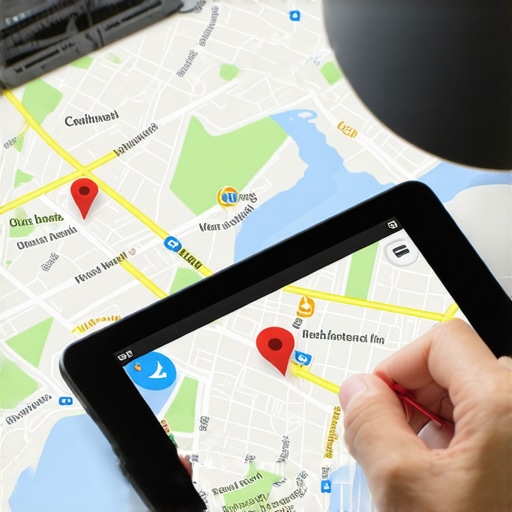
Instead of a static pin, the “tweak” that moves the needle is embedding Google Maps Driving Directions. When you embed a map that shows a route from a high-authority local landmark (like a city hall, a major stadium, or a historic district) to your service area’s center or your verified (but hidden) location, you are creating a hard link between your business and that geographic entity.
This does two things:
- It forces Google to calculate the relationship between your business and the targeted neighborhood.
- It utilizes Google’s own routing API to confirm that your business is “active” and “reachable” within that specific geo-fence.
By shifting from a static pin to a directional embed, you are providing a dynamic signal that helps you rank google business profile assets in towns where you don’t have a physical office. This is a core component of google maps ranking service strategies used by top-tier agencies.
Section 3: The “Tweak”, Proving Your Service Area with Geo-Coordinates
To implement this correctly, you can’t just pick random points on a map. You need a data-driven approach. This is where local seo tools become indispensable. Before you make any changes, you must audit where you currently stand. Are you ranking in a 2-mile radius but invisible at mile 5?
Step-by-Step Implementation
- Create a Custom “My Map”: Go to Google My Maps and create a new layer. Instead of a single point, draw a polygon (a Geo-Shape) that exactly matches the service area you defined in your Google Business Profile.
- Identify Authority Nodes: Find 3-5 major landmarks within your service area. These could be parks, government buildings, or major transit hubs.
- Generate Directions: Use the Google Maps “Directions” feature to create a route from these landmarks to a central point in your service area.
- The Embed: Take the iframe code for these directions and embed it on your specific “City Pages” or “Service Area” pages.
When you use SEO Viper Tools to track your progress, you will notice that these pages start to gain “geo-relevancy.” This isn’t just about the map; it’s about the metadata associated with the embed. Google sees the coordinates in the code, recognizes the landmark entities, and associates your business with those high-authority locations. This is a primary driver for service area business seo success.
As noted in research by local SEO experts like Brandon Leuangpaseuth, driving directions are a “proximity hack” because they simulate the user experience of navigating to a business, which is a signal Google values highly for its mobile-first index.
Section 4: The Technical Backbone, Schema.org for Service Areas
A map embed is the visual proof, but Schema markup is the legal deposition. To truly “compress ambiguity” for Google’s machine-parsable entity retrieval, you must pair your map tweak with advanced JSON-LD schema. This is a critical step in google business profile optimization.
The ServiceArea and GeoShape Entities
Most SEOs stop at `LocalBusiness` schema. To dominate the map pack, you need to go deeper. You should use the `areaServed` property in conjunction with `GeoShape`. By defining a `circle` (with a radius) or a `polygon` (with specific latitude/longitude coordinates) inside your schema, you are providing Google with a mathematical boundary of your business operations.
When your Schema coordinates match the coordinates in your Google Map embed, you create a “Verified Signal Loop.” Google’s AI (and its Gemini-powered search modes) can now confidently verify that your business is the most relevant entity for a “near me” search in that specific zone. This is the secret to google maps lead generation in competitive markets.
If you are unsure if your schema is working, you can use google maps seo tools to verify how Google is interpreting your site’s local signals. You might also find value in reading our guide on The Simple Schema Move That Stops Competitors From Stealing Local Leads.
Section 5: Industry-Specific Applications (Roofers, Plumbers, Lawyers)
How does this look in the real world? Let’s take a roofer as an example. A roofer in a suburb wants to get jobs in the wealthy city center 15 miles away. Simply putting “Roofing in [City Name]” on the website won’t work because the roofer’s verified address is in the suburbs.
By creating a city-specific page that features:
- An embedded map showing driving directions from the City Center Plaza to the roofer’s service boundary.
- `GeoShape` schema defining that city as the `areaServed`.
- Content that mentions local landmarks and neighborhood-specific roofing issues (like local building codes).
The roofer effectively “teleports” their relevancy into the city center. This is how you win the “Near Me” battle without having an office on every corner. It addresses the common frustration of Why Being the Closest Business Still Isn’t Getting You the Phone Call. You aren’t winning on proximity; you are winning on proven authority.
For more industry-specific tips, check out our breakdown of 5 Geo Page Fixes That Get You Found in Surrounding Towns and see how Local Roofers Can Own the Map Pack Without Buying Expensive Leads.
Section 6: Measuring Success, Beyond the Impression Trap
One of the biggest mistakes business owners make is falling into the “Impression Trap.” They see their impressions in Google Search Console going up and assume they are winning. But for a local business, impressions are a vanity metric. What matters are Phone Calls and Direction Requests.
When you implement the map embed tweak, you should see a specific shift in your local rank grid. Instead of a tiny circle of green (ranking 1-3) around your home office, you should see that green zone start to “stretch” toward the landmarks you’ve highlighted in your embeds. This is hyperlocal seo in action.
Using a gmb ranking service or a tool like SEO Viper Tools allows you to see this expansion in real-time. You can perform a 10-Minute Map Audit to identify where your “red zones” are (where you rank 10+) and then target those specific neighborhoods with new directional embeds and geo-targeted content. This is how you scale a service area business in 2026.
Remember, Google’s goal is to provide the best user experience. By showing them exactly how you navigate your service area, you are making it easy for their algorithm to trust you. For further optimization, consider these 4 Radius Fixes To Get More Calls From Local Leads in 2026.
Section 7: Conclusion & Call to Action
The days of “set it and forget it” for Google Business Profiles are over. If you are a service area business, you are already at a disadvantage compared to brick-and-mortar stores. You cannot afford to use generic map embeds that provide zero technical value. Google needs “proof” of where you work, and a directional map embed combined with `GeoShape` schema is that proof.
By linking your business entity to local landmarks and defining your boundaries with mathematical precision, you move from being a “maybe” in Google’s eyes to being a “definitely.” This is the foundation of high-level google business profile seo.
Are you ready to see where your business actually stands? Don’t guess – measure. Perform a 10-minute map audit today and identify the gaps in your local visibility. If you’re ready to take your rankings to the next level, visit SEO Viper Tools to access the professional-grade local seo software used by the experts. Start your google business profile optimization journey now and turn those invisible impressions into actual phone calls.
About the Author: I’m Shahid Anwar, a Local SEO & Google Business Profile specialist. I help local and multi-location businesses turn Google Maps and local search visibility into consistent lead generation machines. With years of experience navigating the complexities of the GMB algorithm, I focus on technical strategies that deliver measurable ROI.